
Repurpose content Using AI: One Idea into 10 Content Pieces
Direct Answer
You can repurpose content into multiple assets using AI by turning one piece of content into different formats such as blog posts, videos, social posts, emails, and lead magnets. AI helps you break content into smaller parts, adapt it for different platforms, and multiply your output without creating everything from scratch.
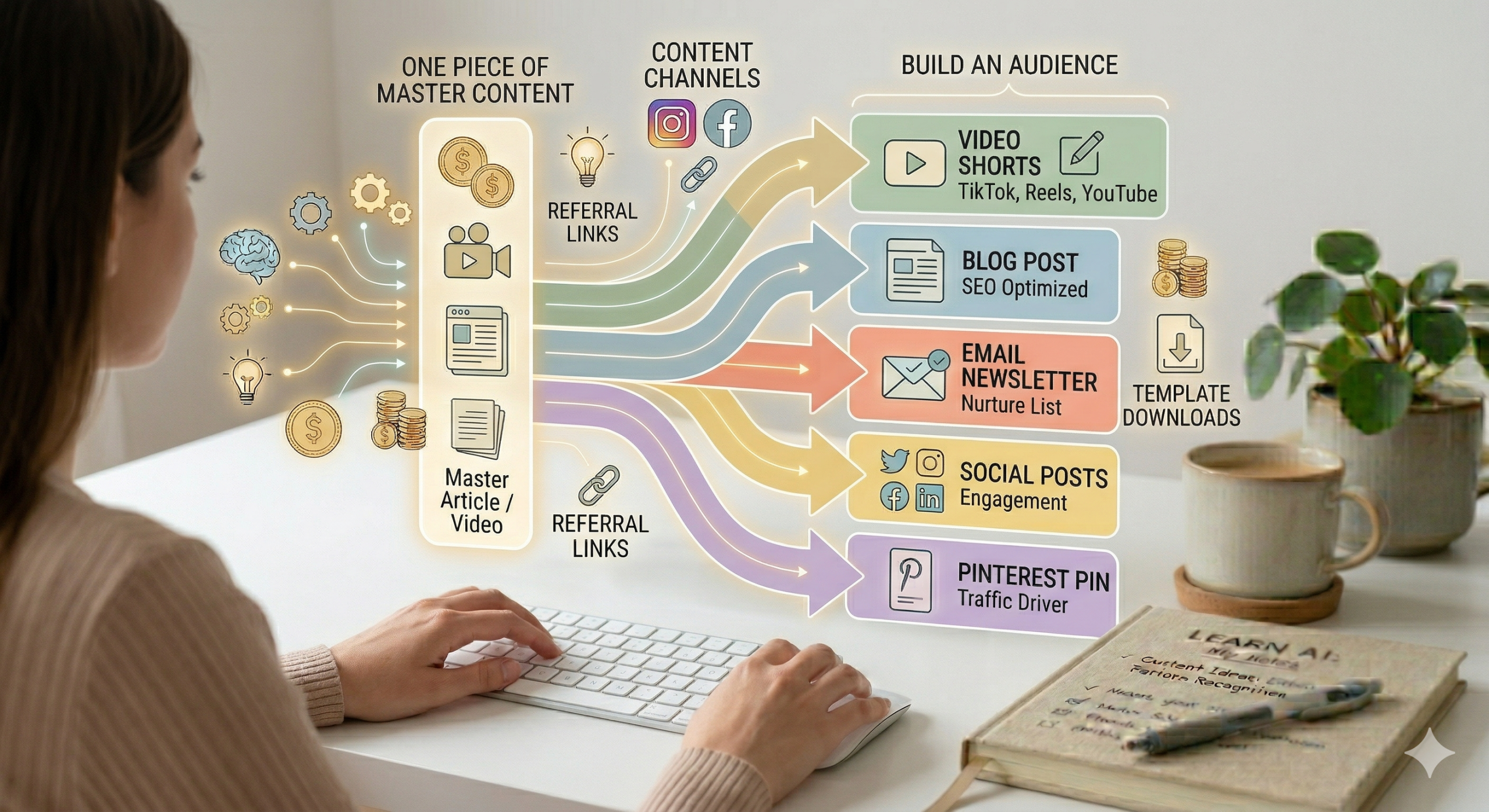
Why Repurposing Is the Key to Growth
Most beginners believe they need to constantly create new content.
You don’t.
The real advantage comes from:
👉 Using one idea multiple times
Instead of:
- Creating 10 different ideas
You:
- Expand 1 idea into 10 pieces of content
This saves time and increases visibility.
What Does “Repurposing Content” Mean?
Repurposing means:
👉 Taking one piece of content
👉 Turning it into multiple formats
Example:
One blog post becomes:
- Social posts
- Short videos
- Emails
- Lead magnets
AI makes this fast and structured instead of manual and overwhelming.
How AI Turns One Idea Into Multiple Assets
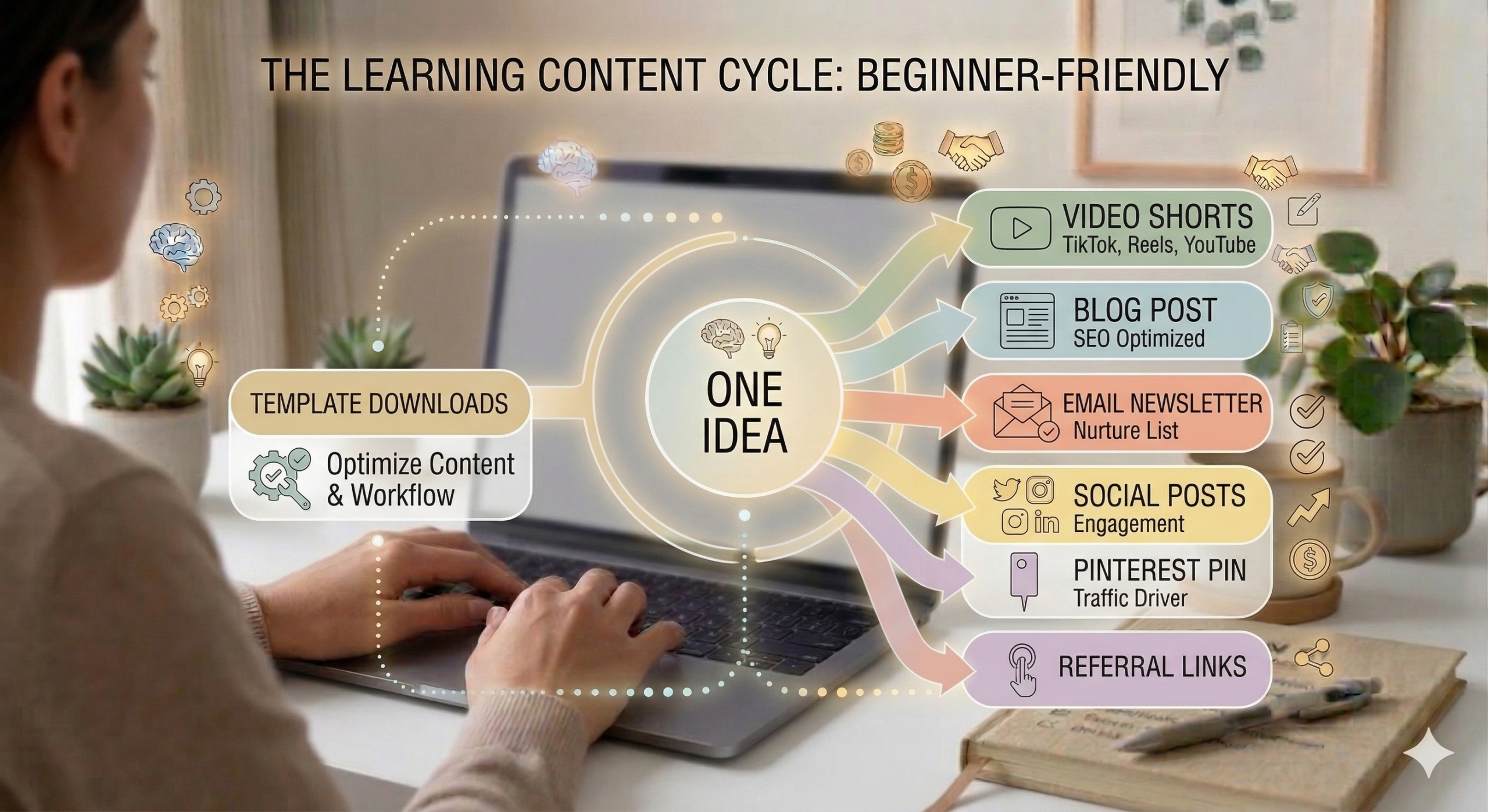
1️⃣ Blog → Social Content
AI can break your blog into:
- Key tips
- Quotes
- Short lessons
Output:
- Instagram posts
- Facebook posts
- Threads
2️⃣ Blog → Short Videos
AI can turn:
- Paragraphs → scripts
- Key ideas → hooks
Output:
- TikTok
- Reels
- Shorts
3️⃣ Blog → Email Content
AI can transform your content into:
- Simple emails
- Tips
- Stories
This keeps your email list active without extra work.
4️⃣ Blog → Lead Magnets
This is one of the most powerful uses.
AI can turn your content into:
- Checklists
- Worksheets
- Templates
This helps grow your email list.
AI can extract actionable steps and convert them into printable or structured resources.
The “One Idea System”
Step 1: Create One Core Piece
- Blog post or video
Step 2: Extract Key Points
- Tips
- Steps
- Insights
Step 3: Repurpose Into:
- Social posts
- Emails
- Videos
Step 4: Turn Into a Lead Magnet
- Checklist
- Guide
Now one idea becomes a full content system.
Simple Weekly Repurposing Workflow
Example:
1 Core Post →
- 3 social posts
- 2 short videos
- 1 email
- 1 lead magnet
This allows you to stay consistent without creating new ideas daily.
Common Repurposing Mistakes
❌ Copy-pasting content everywhere
👉 Adapt for each platform
❌ Creating new content instead of reusing
👉 Focus on expansion
❌ Overcomplicating formats
👉 Keep it simple
❌ Ignoring platform differences
👉 Adjust tone and structure
How AI Makes Repurposing Easy
AI helps you:
- Break content into smaller pieces
- Rewrite content for different platforms
- Maintain consistency
- Save time
Instead of starting from zero, you are:
👉 Expanding what already works
How Repurposing Connects to Your Business System
Repurposing multiplies everything:
- More traffic
- More content
- More leads
- More income opportunities
Full system:
One idea → Multiple assets → More visibility → More income
To see how everything connects:
👉 Read:
How to Start and Grow an Online Business Using AI
Faceless content creation system
Frequently Asked Questions
Do I need different tools for repurposing?
No. AI can handle most of the process.
How many times should I reuse content?
As many times as it remains relevant.
Will people notice repeated content?
Not if it is adapted properly.
Is repurposing better than creating new content?
For beginners, yes. It is more efficient and effective.
Key Takeaways
- You do not need constant new ideas
- One idea can create multiple assets
- AI simplifies repurposing
- Adapt content for each platform
- Consistency becomes easier
Next Step
Want to save time and grow faster?
👉 Download The AI Powered Online Business Toolkit
- Step-by-step workflow
- Content templates
- Platform strategy
📅 Last updated:
